Introduction
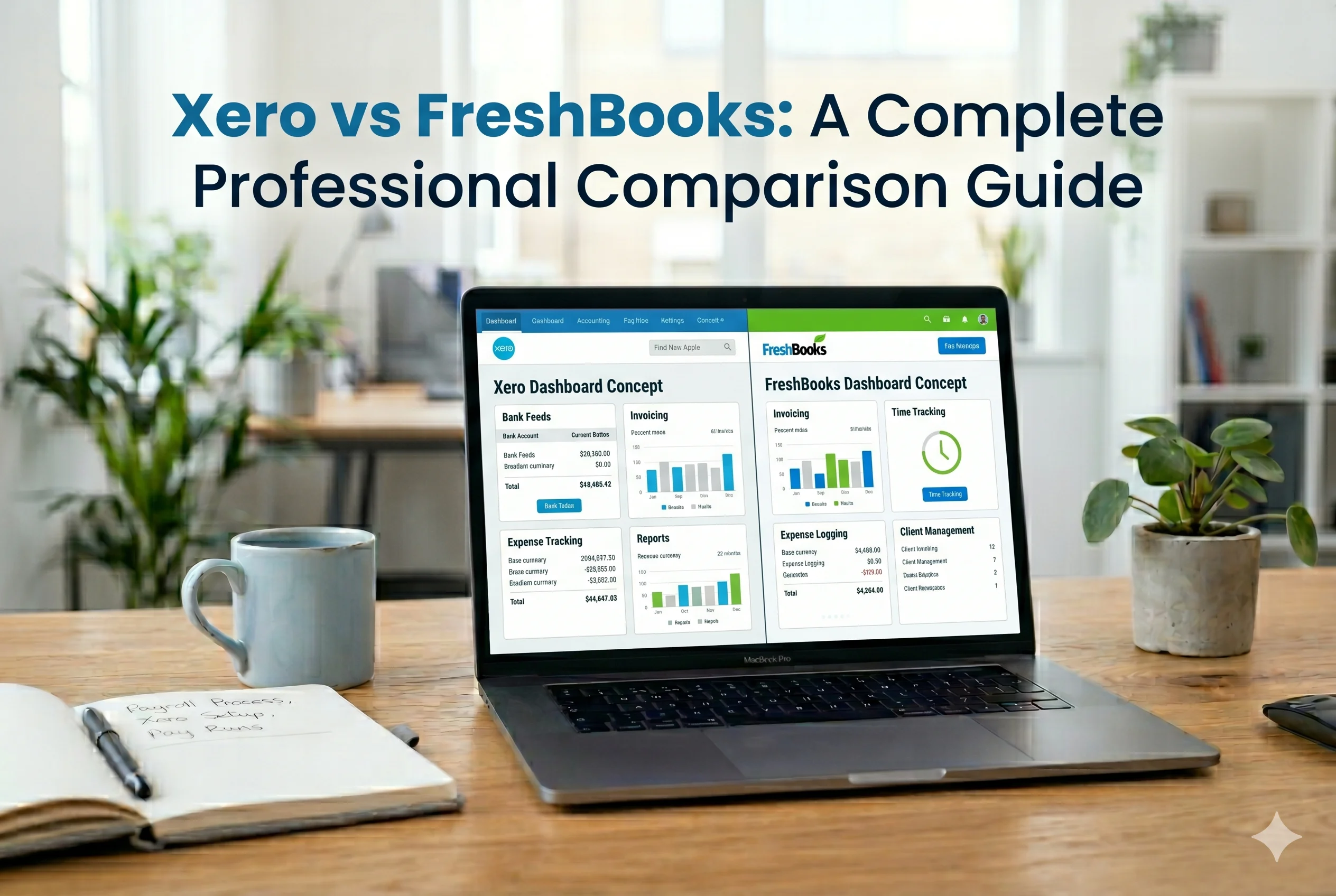
Choosing the right accounting software is critical for managing your business finances efficiently. Two of the most popular cloud accounting solutions are Xero and FreshBooks. Both offer powerful features, but they are designed for different types of users.
In this detailed comparison, we’ll analyze both platforms based on features, pricing, usability, scalability, and ideal use cases—so you can decide which one is best for your business.
Overview of Xero and FreshBooks
What Is Xero?
Xero is a full-featured cloud accounting software designed for small to medium-sized businesses. It offers advanced tools such as:
- Bank reconciliation
- Inventory management
- Financial reporting
- Multi-currency support
- 1000+ app integrations
It is known for its scalability and strong accounting capabilities.
What Is FreshBooks?
FreshBooks is a simple and user-friendly accounting software primarily designed for:
- Freelancers
- Small service-based businesses
- Independent professionals
It focuses heavily on:
- Invoicing
- Time tracking
- Client management
FreshBooks is ideal for users who want simplicity over advanced accounting features.
Key Differences at a Glance
| Feature | Xero | FreshBooks |
|---|---|---|
| Target Users | Small to medium businesses | Freelancers & small teams |
| Ease of Use | Moderate | Very easy |
| Accounting Depth | Advanced | Basic to moderate |
| Invoicing | Limited on lower plans | Unlimited |
| Time Tracking | Limited (higher plans) | Included in all plans |
| Inventory Management | Yes | No |
| Multi-Currency | Yes (higher plans) | Yes |
| Integrations | 1000+ apps | Limited |
| Users | Unlimited | Limited per plan |
| Automation | Strong | Moderate |
Features Comparison
1. Invoicing and Billing
FreshBooks excels in invoicing.
- Unlimited invoices on all plans
- Recurring invoices and automatic reminders
- Time tracking integrated into invoices
Xero offers:
- Professional invoices
- Payment tracking
- Limited invoices on entry plan (Forbes)
👉 Winner: FreshBooks (better for freelancers and service providers)
2. Accounting Features
Xero is much stronger in accounting capabilities.
- Double-entry accounting
- Bank reconciliation automation
- Financial reports
- Expense tracking
FreshBooks offers basic accounting but lacks advanced features in lower plans. (NerdWallet)
👉 Winner: Xero
3. Bank Reconciliation
Xero provides automatic bank feeds, importing transactions directly and matching them intelligently. (Forbes)
FreshBooks supports reconciliation but does not automate transaction imports as effectively.
👉 Winner: Xero
4. Time Tracking
FreshBooks includes built-in time tracking in all plans, allowing easy billing for hours worked.
Xero only offers time tracking in higher-tier plans.
👉 Winner: FreshBooks
5. Inventory Management
- Xero: Built-in inventory tracking
- FreshBooks: No proper inventory system (Forbes)
👉 Winner: Xero
6. Integrations
- Xero integrates with 1000+ apps
- FreshBooks has limited integrations
👉 Winner: Xero (NerdWallet)
7. Reporting and Analytics
Xero provides:
- Advanced financial reports
- Custom dashboards
- Cash flow insights
FreshBooks offers basic reports focused on small businesses.
👉 Winner: Xero
8. Ease of Use
FreshBooks is designed for non-accountants, making it extremely simple to use.
Xero has more features but requires some accounting knowledge.
👉 Winner: FreshBooks
Pricing Comparison
- FreshBooks starting price: around $21/month
- Xero starting price: around $20/month (Forbes)
However:
- FreshBooks becomes expensive with more clients
- Xero offers better value for advanced features
👉 Winner: Depends on usage
- Freelancers → FreshBooks
- Growing businesses → Xero
Scalability
Xero is built for growth:
- Unlimited users
- Advanced tools
- Suitable for larger teams
FreshBooks is limited:
- Fewer users per plan
- Designed for small operations (NerdWallet)
👉 Winner: Xero
Pros and Cons
Xero Pros
- Advanced accounting features
- Strong automation
- Inventory management
- Unlimited users
- Huge integration ecosystem
Xero Cons
- Learning curve for beginners
- Limited invoices on basic plan
FreshBooks Pros
- Extremely user-friendly
- Excellent invoicing
- Built-in time tracking
- Great for freelancers
FreshBooks Cons
- Limited accounting features
- No inventory management
- Limited scalability
Who Should Use Xero?
Choose Xero if you are:
- Running a growing business
- Managing inventory
- Working with multiple employees
- Handling complex accounting
- Expanding internationally
Who Should Use FreshBooks?
Choose FreshBooks if you are:
- A freelancer or consultant
- Running a small service-based business
- Focused on invoicing and time tracking
- Looking for simple accounting
Final Verdict
Both Xero and FreshBooks are excellent accounting tools—but they serve different purposes.
- FreshBooks is best for simplicity, invoicing, and freelancers
- Xero is best for advanced accounting, automation, and business growth
👉 If your business is small and service-based → go with FreshBooks
👉 If you want scalability and powerful accounting → Xero is the better choice
According to expert comparisons, Xero generally wins in features and scalability, while FreshBooks shines in ease of use and invoicing. (NerdWallet)
Conclusion
The decision between Xero and FreshBooks ultimately depends on your business needs.
If you prioritize simplicity and quick invoicing, FreshBooks is ideal.
If you need powerful accounting, automation, and scalability, Xero is the smarter long-term investment.
Understanding your business model is the key—choose the tool that aligns with how you operate today and where you want to grow tomorrow.