Introduction
In today’s digital-first business environment, managing financial documents efficiently is no longer optional—it is essential. From invoices and receipts to contracts and tax records, businesses handle a large volume of critical documents daily. Traditional paper-based systems and scattered digital files not only slow down operations but also increase the risk of errors, loss, and compliance issues.
This is where online file storage in Xero becomes a powerful solution. By integrating document management directly within accounting workflows, Xero enables businesses to store, organize, and access financial documents securely in the cloud.
This article provides a comprehensive overview of Xero’s online file storage feature, including its functionality, core capabilities, benefits, and practical applications for modern businesses.
What Is Online File Storage in Xero?
Definition
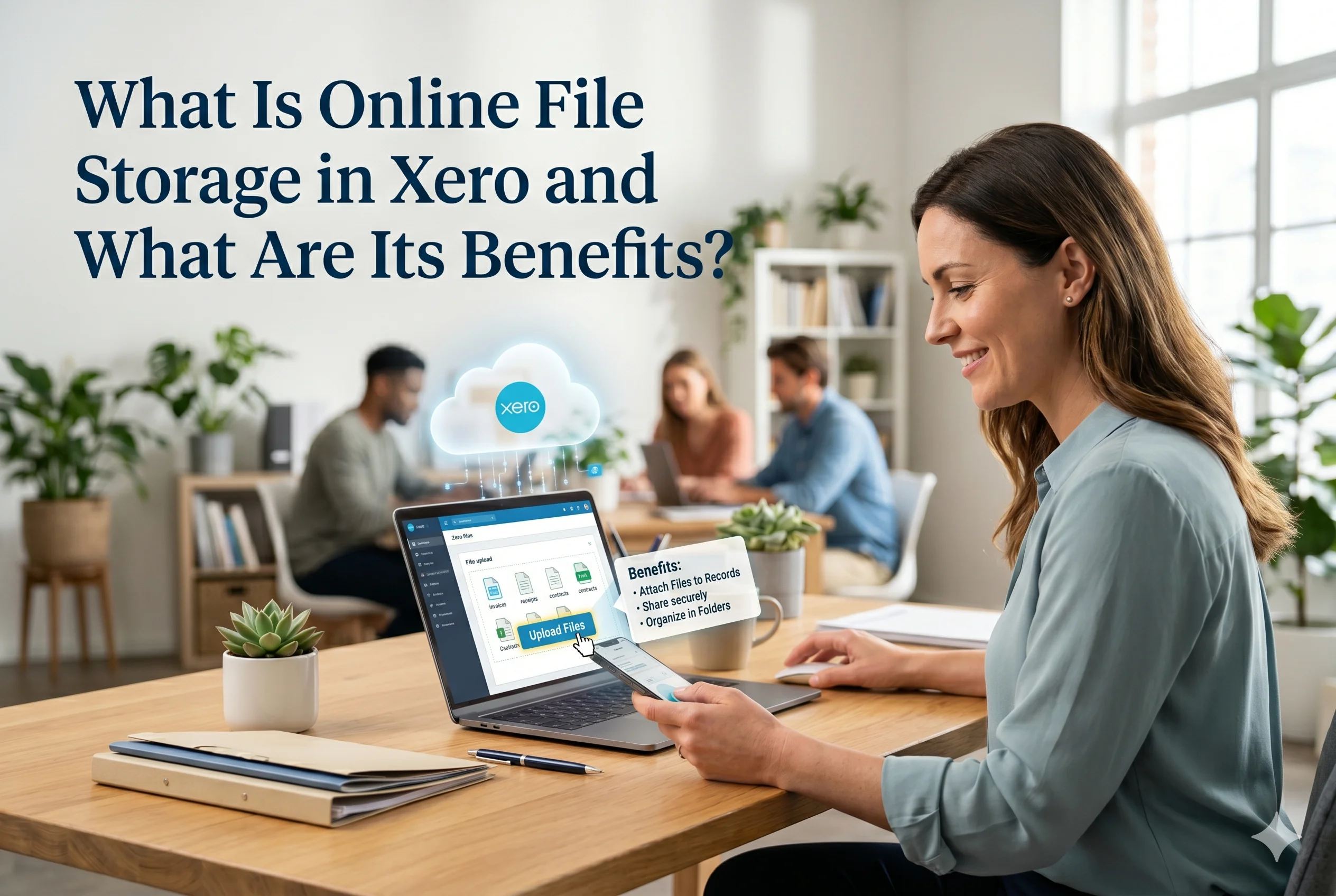
Online file storage in Xero refers to the cloud-based capability that allows users to upload, store, manage, and attach digital documents directly within the Xero accounting platform.
Instead of keeping files in separate systems or physical folders, Xero centralizes all financial documentation in one place—securely accessible from anywhere.
Key Characteristics of Xero’s Online File Storage
Xero’s file storage feature is designed with business efficiency and compliance in mind. Its core characteristics include:
- Cloud-based access: Files are stored securely online and accessible anytime
- Centralized document management: All financial documents in one system
- Seamless integration: Documents linked directly to transactions
- Secure storage: Advanced encryption and user access controls
- Scalable system: Suitable for small businesses to large enterprises
Core Features of Online File Storage in Xero
Document Upload and Storage
Xero allows users to upload various types of documents, including:
- Invoices
- Receipts
- Bank statements
- Contracts
- Tax documents
Users can upload files via:
- Web interface
- Mobile app
- Email forwarding
Example:
A business owner receives a supplier invoice via email and forwards it directly to Xero, where it is automatically stored and ready for processing.
File Attachment to Transactions
One of the most powerful features is the ability to attach documents directly to financial transactions.
How It Works:
- Upload a receipt
- Link it to an expense or bill
- Store it alongside the transaction record
Benefit:
Every transaction is backed by verifiable documentation, improving transparency and audit readiness.
Smart Organization and Categorization
Xero enables users to organize files efficiently:
- Folder-based structure
- Search functionality
- Tagging and categorization
This ensures that even large volumes of documents remain easy to locate.
Mobile Accessibility
Through the Xero mobile app, users can:
- Capture photos of receipts instantly
- Upload documents on the go
- Access files from anywhere
Real-World Use Case:
An employee on a business trip can scan and upload expense receipts in real time, eliminating the need for manual submission later.
Secure Cloud Storage
Security is a major concern for financial data, and Xero addresses it through:
- Data encryption
- Secure servers
- Role-based access control
Only authorized users can view or edit specific documents, ensuring confidentiality.
Integration with Accounting Workflows
Unlike standalone storage solutions, Xero integrates file storage directly with accounting processes:
- Bills and expenses
- Bank reconciliation
- Payroll documentation
This eliminates the need to switch between multiple platforms.
Benefits of Online File Storage in Xero
Improved Efficiency and Time Savings
Manual document handling is time-consuming. Xero automates and streamlines the process.
Key Advantages:
- Faster document retrieval
- Reduced manual data entry
- Automated workflows
Result:
Teams can focus on strategic tasks instead of administrative work.
Enhanced Accuracy and Reduced Errors
Attaching documents directly to transactions minimizes discrepancies.
- Eliminates duplicate entries
- Reduces missing documentation
- Ensures consistent record-keeping
Real-Time Access to Financial Documents
With cloud-based storage, businesses gain instant access to their documents.
Benefits:
- Access files anytime, anywhere
- Enable remote work
- Support global teams
Better Compliance and Audit Readiness
Regulatory compliance requires accurate and accessible records.
Xero helps by:
- Maintaining organized documentation
- Providing a clear audit trail
- Ensuring all transactions are supported by evidence
Outcome:
Audits become faster, smoother, and less stressful.
Cost Reduction
Traditional document management involves costs such as:
- Printing
- Physical storage
- Administrative labor
Xero eliminates these expenses by digitizing the entire process.
Improved Collaboration
Multiple users can access and work on documents simultaneously.
Collaboration Benefits:
- Accountants and business owners work in real time
- Faster approvals and decision-making
- Clear communication across teams
Environmental Sustainability
By reducing reliance on paper, businesses contribute to sustainability efforts.
Practical Applications of Xero’s File Storage
Expense Management
Businesses can:
- Capture receipts instantly
- Attach them to expenses
- Maintain accurate records
Accounts Payable
- Store supplier invoices
- Link them to bills
- Track payment status
Tax Preparation
- Organize tax-related documents
- Ensure compliance with regulations
- Simplify filing processes
Financial Audits
- Provide auditors with direct access to documents
- Reduce audit preparation time
Comparison: Xero File Storage vs Traditional Methods
| Feature | Traditional Storage | Xero Online Storage |
|---|---|---|
| Accessibility | Limited | Anywhere, anytime |
| Organization | Manual | Automated & searchable |
| Security | Risk of loss | Encrypted & controlled |
| Integration | Separate systems | Fully integrated |
| Efficiency | Low | High |
Best Practices for Using Xero Online File Storage
To maximize the benefits, businesses should follow these strategies:
Standardize File Naming
Use consistent naming conventions for easy retrieval.
Attach Documents Immediately
Upload and link documents at the time of transaction.
Use Categories and Tags
Organize files systematically for better searchability.
Control User Access
Assign permissions to protect sensitive information.
Regularly Review Documents
Ensure all files are accurate and up to date.
Why Online File Storage Is Essential for Modern Businesses
In an increasingly digital economy, businesses must adapt to efficient, scalable systems. Online file storage is no longer just a convenience—it is a critical component of financial management.
With features like real-time access, secure storage, and seamless integration, Xero enables businesses to:
- Operate more efficiently
- Reduce operational risks
- Improve financial transparency
- Scale without administrative bottlenecks
Conclusion
Online file storage in Xero represents a significant advancement in how businesses manage financial documentation. By centralizing files, integrating them with accounting workflows, and providing secure, real-time access, Xero eliminates the inefficiencies of traditional document management systems.
For small business owners, accountants, e-commerce operators, and growing enterprises, this feature delivers measurable benefits—ranging from time savings and cost reduction to improved compliance and collaboration.
Ultimately, adopting Xero’s online file storage is not just about organizing documents—it is about building a smarter, more agile, and future-ready financial system.