Introduction
When it comes to accounting software, Xero and QuickBooks are two of the biggest and most trusted platforms globally. Both are cloud-based, powerful, and widely used by small to medium-sized businesses.
But here’s the reality:
👉 They are similar on the surface, but very different in pricing, usability, scalability, and features.
This guide gives you a clear, unbiased, and professional comparison so you can decide which one is best for your business.
Overview of Xero and QuickBooks
Xero Overview
Xero is designed for modern, growing businesses that want automation, flexibility, and scalability.
Key strengths:
- Unlimited users
- Strong automation
- Multi-currency support
- 1000+ integrations
QuickBooks Overview
QuickBooks (by Intuit) is designed for ease of use and strong accounting depth, especially in the US market.
Key strengths:
- User-friendly interface
- Advanced reporting
- Built-in payroll options
- Strong ecosystem
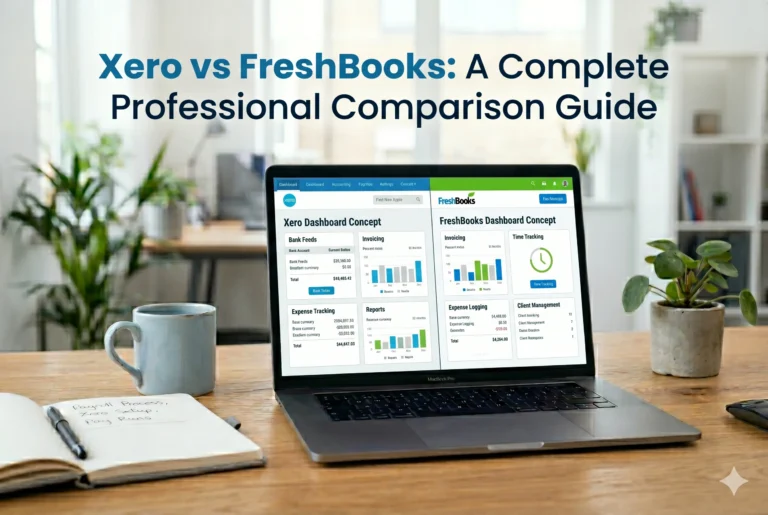
Quick Comparison Table
| Feature | Xero | QuickBooks |
|---|---|---|
| Ease of Use | Moderate | Very Easy |
| Pricing | Lower | Higher |
| Users | Unlimited | Limited (by plan) |
| Accounting Features | Advanced | Very Advanced |
| Inventory | Limited (paid add-on) | Strong native |
| Payroll | Via integrations | Built-in (paid) |
| Integrations | 1000+ | 800+ |
| Mobile App | Good | Excellent |
| Reporting | Good | Excellent |
Key Feature Comparison
1. Accounting & Core Features
Both platforms offer:
- Invoicing
- Expense tracking
- Bank reconciliation
- Financial reporting
👉 Verdict: Tie
Both are powerful accounting tools suitable for SMBs (Forbes)
2. Ease of Use
- QuickBooks has a more polished and intuitive interface
- Xero is slightly harder to learn initially
👉 Winner: QuickBooks
QuickBooks is generally easier for beginners (Forbes)
3. Pricing & Value
- Xero starts cheaper and offers unlimited users
- QuickBooks charges more and limits users by plan
👉 Winner: Xero
Better for teams and cost-conscious businesses (Forbes)
4. Users & Collaboration
- Xero → Unlimited users on all plans
- QuickBooks → Up to 25 users (highest plan)
👉 Winner: Xero
Ideal for growing teams (Forbes)
5. Bank Connections
Both platforms:
- Connect directly to bank accounts
- Automatically import transactions
- Support reconciliation
👉 Verdict: Tie
Both offer strong bank integration (Forbes)
6. Reporting & Analytics
- QuickBooks offers more advanced and customizable reports
- Xero provides solid but slightly limited reporting
👉 Winner: QuickBooks (Forbes)
7. Integrations & Automation
- Xero → ~600+ integrations
- QuickBooks → ~800+ integrations
QuickBooks also has a more intuitive automation builder.
👉 Winner: QuickBooks (Forbes)
8. Inventory Management
- QuickBooks → Built-in inventory system
- Xero → Requires add-ons for advanced inventory
👉 Winner: QuickBooks (Forbes)
9. Mobile App
- QuickBooks → More feature-rich mobile app
- Xero → Clean but less powerful
👉 Winner: QuickBooks (Forbes)
10. Multi-Currency Support
Both platforms support multiple currencies.
👉 Verdict: Tie (Forbes)
Pros and Cons
Xero Pros
- Unlimited users
- Lower cost
- Strong automation
- Great for international businesses
Xero Cons
- Slight learning curve
- Less advanced reporting
- Payroll requires integration
QuickBooks Pros
- Very easy to use
- Advanced reporting
- Built-in payroll
- Strong inventory tools
QuickBooks Cons
- Expensive as you scale
- Limited users per plan
- Can feel complex due to many features
Real-World Insight (From Users)
From business communities:
“Xero → better for teams and international use”
“QuickBooks → easier and more powerful for accounting” (Reddit)
Another common insight:
Both tools are excellent for accounting, but you may still need additional tools for operations like inventory or workflows (Reddit)
Who Should Use Xero?
Choose Xero if you:
- Have a growing team
- Need unlimited users
- Want lower cost
- Work internationally
- Prefer automation and integrations
Who Should Use QuickBooks?
Choose QuickBooks if you:
- Want the easiest interface
- Need advanced reporting
- Prefer built-in payroll
- Manage inventory-heavy business
- Work with accountants (especially in the US)
Final Verdict
Both tools are excellent—but they serve different priorities:
👉 Choose Xero if:
- You want affordability + scalability
- You have multiple users
- You operate globally
👉 Choose QuickBooks if:
- You want simplicity + power
- You need deep accounting features
- You prefer a polished interface
Bottom Line
- Xero = Better value & scalability
- QuickBooks = Better usability & advanced features
Conclusion
The choice between Xero and QuickBooks is not about which one is “better”—it’s about which one fits your business model.
- Small team, global, budget-focused → Xero
- Solo owner, ease of use, deep accounting → QuickBooks
If you’re planning to grow your business long-term, Xero often provides better flexibility. But if you want a tool that’s easy to use from day one, QuickBooks is hard to beat.