Introduction
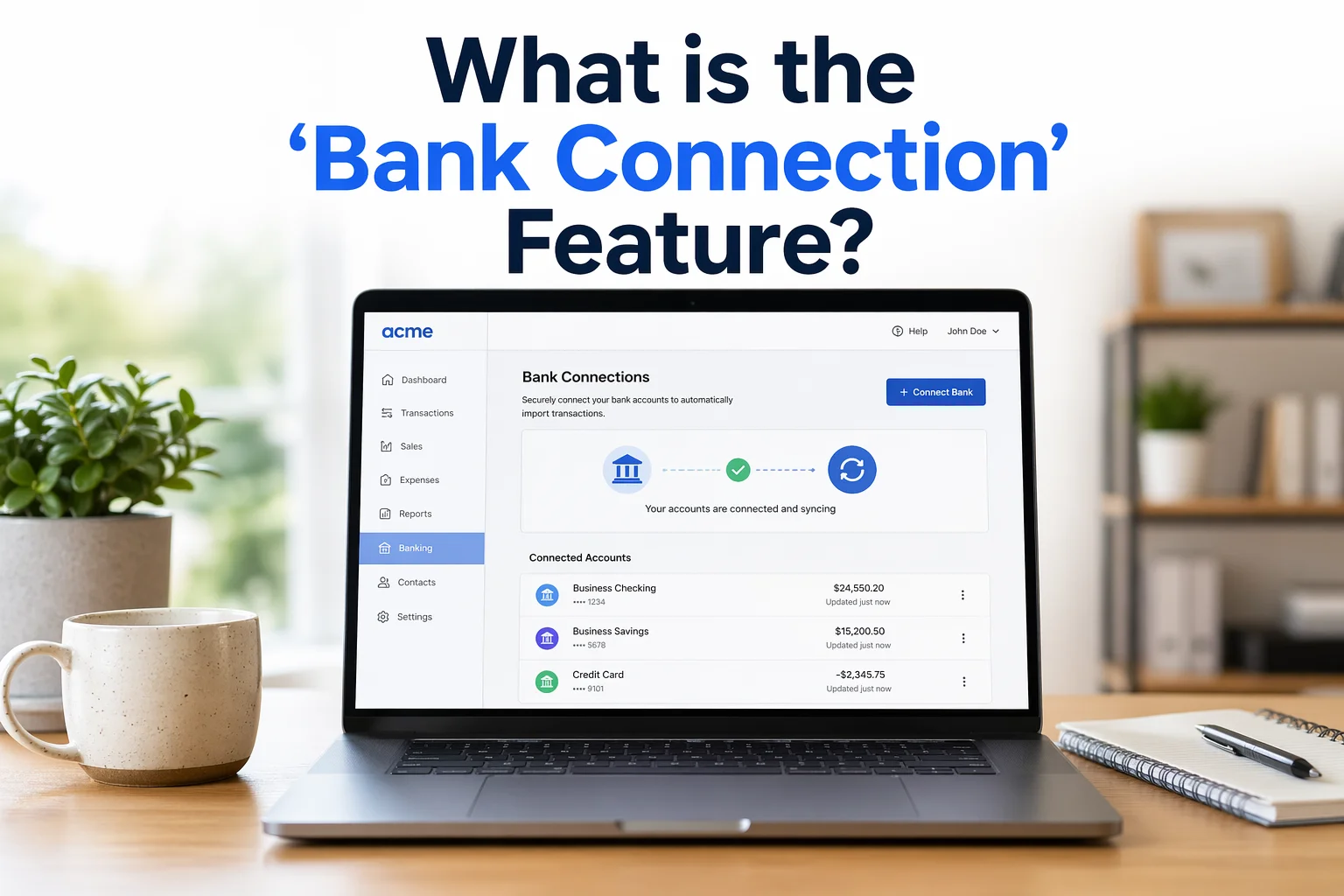
One of the most powerful and time-saving features of Xero is its bank connection (bank feed) functionality. This feature allows your business bank account to connect directly with Xero, automatically importing transactions in real time.
Instead of manually entering every payment, expense, or deposit, Xero does it for you—making accounting faster, more accurate, and far more efficient.
In this guide, you’ll learn what the Xero bank connection feature is, how it works, its key benefits, and how to use it step by step.
What Is the Bank Connection Feature in Xero?
The bank connection feature (also called bank feeds) allows Xero to securely connect with your bank and automatically import transaction data into your accounting system.
This means:
- Every deposit, withdrawal, and transaction appears in Xero automatically
- No need for manual data entry
- Your financial records stay updated in real time
Once connected, your bank and Xero “communicate” continuously, ensuring accurate and up-to-date financial information.
How the Xero Bank Connection Works
The process behind this feature is simple but powerful.
1. Secure Bank Integration
Xero connects to your bank using secure APIs or bank-approved connections. Your financial data is encrypted and protected.
2. Automatic Transaction Import
Your bank sends transaction data directly into Xero automatically. (Xero)
3. Smart Matching System
Xero compares imported transactions with existing records and suggests matches. (Xero)
4. One-Click Reconciliation
You simply confirm matches, and Xero updates your accounts instantly.
5. Real-Time Updates
Your dashboard reflects the latest financial data without delays.
Key Features of Xero Bank Connection
1. Automatic Bank Feeds
Transactions are imported daily (or even more frequently depending on your bank).
Benefits:
- Eliminates manual entry
- Saves time
- Reduces human errors
2. Smart Transaction Matching
Xero suggests matches between:
- Bank transactions
- Invoices
- Bills
- Payments
This reduces reconciliation work significantly.
3. Bank Rules Automation
You can create rules for recurring transactions.
Example:
- Monthly rent → Automatically categorized as expense
- Utility bill → Assigned to utilities account
This makes bookkeeping faster over time.
4. Real-Time Cash Flow Tracking
Since transactions are updated automatically, you can monitor:
- Current bank balance
- Incoming payments
- Outgoing expenses
This helps in better financial decision-making.
5. Multi-Bank Integration
Xero allows you to connect multiple accounts such as:
- Business bank accounts
- Credit cards
- PayPal or online payment platforms
6. Error Detection and Fraud Prevention
By comparing bank data with your records, Xero helps identify:
- Missing transactions
- Duplicate entries
- Suspicious activity
Regular reconciliation ensures accuracy and security. (Xero)
Step-by-Step: How to Connect Your Bank to Xero
Step 1: Log in to Xero
Access your Xero dashboard using your account credentials.
Step 2: Go to Bank Accounts Section
- Click on “Accounting”
- Select “Bank Accounts”
Step 3: Add Bank Account
- Click “Add Bank Account”
- Search for your bank
- Select your bank from the list
Step 4: Connect Securely
You’ll be asked to:
- Enter online banking credentials (if supported)
- Or upload bank statements (manual method)
Step 5: Confirm Connection
Once connected:
- Transactions start importing automatically
- Your bank feed becomes active
Step 6: Start Reconciliation
Go to “Reconcile” tab and:
- Match transactions
- Confirm suggestions
- Categorize expenses
Bank Reconciliation in Xero
Bank connection works closely with bank reconciliation, which ensures your records match your bank statement.
What Is Bank Reconciliation?
It is the process of comparing your accounting records with your bank transactions to ensure everything matches. (Xero)
How Xero Simplifies Reconciliation
Traditional reconciliation is manual and time-consuming. Xero simplifies it by:
- Showing bank transactions and accounting records side by side
- Suggesting matches automatically
- Allowing one-click confirmation
This reduces hours of work into minutes.
Benefits of Using Xero Bank Connection
1. Saves Time
No manual data entry—transactions are imported automatically.
2. Improves Accuracy
Reduces human errors in recording financial data.
3. Real-Time Financial Insights
You always know your exact financial position.
4. Simplifies Bookkeeping
Automated categorization and reconciliation.
5. Enhances Security
Helps detect fraud and unusual transactions early.
6. Better Decision Making
Accurate, up-to-date data leads to smarter business decisions.
Types of Bank Connections in Xero
1. Direct Bank Feed
- Fully automated
- Transactions imported automatically
2. Yodlee Feed (Third-Party Integration)
- Used when direct feed isn’t available
- Still automated but via third-party
3. Manual Import
- Upload bank statements (CSV, OFX)
- Used when automation isn’t supported
Best Practices for Using Bank Connection
1. Reconcile Regularly
Do reconciliation daily or weekly to maintain accuracy.
2. Set Bank Rules
Automate recurring transactions to save time.
3. Review Transactions Carefully
Even with automation, always verify important entries.
4. Separate Business and Personal Accounts
Avoid confusion and simplify accounting.
5. Monitor Cash Flow Frequently
Use real-time data to manage expenses and income.
Common Challenges and Solutions
Issue: Bank Not Supported
Solution: Use manual import or third-party integration.
Issue: Duplicate Transactions
Solution: Check reconciliation before approving.
Issue: Missing Transactions
Solution: Refresh bank feed or upload statements manually.
Who Should Use This Feature?
The bank connection feature is ideal for:
- Small business owners
- Freelancers
- Startups
- Accountants and bookkeepers
- E-commerce businesses
Conclusion
The bank connection feature in Xero is one of its most powerful capabilities. By automatically importing transactions, suggesting matches, and simplifying reconciliation, it transforms how businesses manage their finances.
Instead of spending hours on manual bookkeeping, you can focus on growing your business while Xero handles the heavy lifting.
If you want accurate, real-time financial tracking with minimal effort, enabling the bank connection feature in Xero is not just helpful—it’s essential.